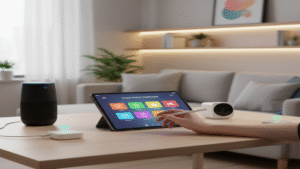








You don’t need deep pockets, advanced wiring skills, or a professional integrator to automate your home with Alexa. In fact, armed with a single Echo Dot, a few smart plugs, you can transform lights, appliances, and routines in a single afternoon. This article distills you will learn which inexpensive gadgets to buy, how to install and configure them, and where the biggest money-savers (and hidden costs) lie. By the end, you will hold a realistic plan to create a safer, more energy-efficient, and downright cooler living space—while keeping your wallet intact.
Fast Fact: According to Statista, households that automate lighting and climate control report up to 19 % savings on annual electricity bills.
1. Why Start Smart: The Real Benefits of Budget Home Automation
Energy Savings That Pay for Themselves
When you automate your home with Alexa, the first benefit shows up on your energy bill. Smart plugs and light bulbs allow you to program devices to turn off during hours of inactivity, reducing phantom consumption that typically costs between $100 and $200 per year in US homes. In this case study, plugging your TV, router, and game console into an iClamper smart power strip reduced standby consumption by 11 kWh per month—about $2.50. While modest, that alone pays for the $18 plug in eight months.
Convenience that Multiplies Productivity
Voice commands turn routine actions, such as turning off the lights in your bedroom or adjusting a fan, into 3-second tasks. Over the course of a year, saving just 60 seconds a day adds up to six hours of free time. In this example, we demonstrate how to say “Alexa, good morning,” which simultaneously opens the blinds, turns an Elgin smart light bulb to 60% power, turns on a kettle, and reads the weather forecast. Micro-efficiency adds up, freeing up cognitive space for more meaningful work.
Improved Safety and Se curity
Simple automations can deter intruders by simulating presence with randomized lighting schedules. Combine an inexpensive motion sensor with an Echo or a camera, and you receive instant phone alerts if someone enters after curfew. Even renters gain a security upgrade without drilling holes or re-wiring panels.
Tip: Create an “Away” routine that randomly toggles lights between 7 p.m. and 11 p.m.; Amazon’s Alexa app now includes a Vacation Lighting option that automates the randomness for you.
2. The Essential Ecosystem: Choosing the Right Alexa Devices
Echo Dot Generations Explained
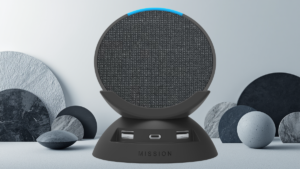
Rodrigo spotlights three Echo Dot models: 3rd-Gen (disk shape), 4th-Gen (spherical) without clock, and 4th-Gen with LED clock. Performance wise, microphone arrays and processors are similar; the upgrade value lies in richer bass and the clock’s convenience. If you plan to place the Dot in a bedroom—or constantly ask for timers—the $10 price bump is worth it.
Compatibility and Future Proofing
Amazon’s Zigbee hub is reserved for Echo 4th-Gen full-size, not the Dot. However, most entry-level accessories (smart plugs, bulbs, and Wi-Fi switches) use 2.4 GHz Wi-Fi and integrate directly via the Alexa app. Ensure the packaging says “Works with Alexa” and supports 802.11 b/g/n 2.4 GHz. Dual-band routers will work, but you often need to force pairing on the 2.4 GHz network.
Budget vs. Premium Philosophy
Rodrigo purposely avoids high-end hubs (e.g., SmartThings, Apple HomePod) because they raise the entry cost by $100-$200 without offering proportional gains for beginners. Start cheap, learn routines, and only later invest in multi-protocol hubs or Thread-enabled devices.
| Device | Approx. Price (US) | Best Use Case |
|---|---|---|
| Echo Dot 3rd-Gen | $29 | Secondary rooms, kids’ bedroom |
| Echo Dot 4th-Gen | $39 | Living room with better audio |
| Echo Dot 4th-Gen w/ Clock | $49 | Nightstand, kitchen timers |
| ELG Smart Plug | $14 | Standalone appliances up to 10 A |
| iClamper Smart Strip | $28 | Multi-device clusters (TV + console) |
| Elgin Smart Bulb 9 W | $11 | Lamps, mood lighting |
| RGB LED Strip 5 m | $22 | Ambient backlighting behind TV |
Cost Snapshot: For roughly $115 you can pick up a 4th-Gen Echo Dot, two smart plugs, two bulbs, and one 5-meter LED strip—enough to automate an apartment’s key zones.
3. Smart Power Control: Plugs, Strips and Wall Switches
Smart Plugs: The Gateway Device
Plug-and-play ELG or TP-Link mini plugs are rookie proof. Insert the plug, open the Alexa app, hit “Add Device” → “Plug,” and connect to Wi-Fi. Rodrigo attaches his espresso machine so it pre-heats at 6:30 a.m. and shuts off at 8:00 a.m., avoiding a 1 kWh waste daily. For high-wattage heaters or AC units, select 15-amp rated models.
Power Strips: Multi-Tasking Made Simple
The iClamper filter includes three individually addressable outlets and USB ports. Through Alexa, you can name them TV, Soundbar, PS5. Rodrigo’s routine “Movie Time” powers all three, dims lighting, and launches Netflix on his Fire TV—all triggered by a single sentence.
Wall Switches vs. Bulbs
In-wall smart switches (approx. $18) are elegant because manual use still works when Wi-Fi is down. However, they require neutral wires. Renters may prefer keeping the landlord’s switch and installing smart bulbs instead. For homeowners, replacing the switch eliminates the need for smart bulbs in multi-bulb fixtures, reducing total cost.
“Start with one high-impact routine—like turning all lights off at bedtime—then gradually expand. Early wins build momentum and keep costs in check.”
– Lucas Ferreira, IoT Systems Engineer
4. Illuminating the Future: Smart Lighting with LED Strips and Bulbs
Why Lighting Is the Crowd-Pleaser
Instant visual feedback makes lighting the gateway drug of home automation. RGB strips behind a TV or under a sofa add ambiance for $20. Moreira installs a 5-meter strip, then uses Alexa’s “Color Picker” to set “Sunset Orange” during Fortnite sessions, and “Polar White” while reading.
Installation Tricks
Clean the surface with isopropyl alcohol to ensure the adhesive sticks. Loop the excess strip rather than cutting if you might reposition later. For kitchens, add a cheap aluminum channel to diffuse the LEDs, creating a premium glow for pennies.
Bulbs vs. Strips vs. Lamps
- Bulbs: Easiest drop-in replacement; excellent for lamps and single fixtures.
- Strips: Best for accent lighting and hidden coves.
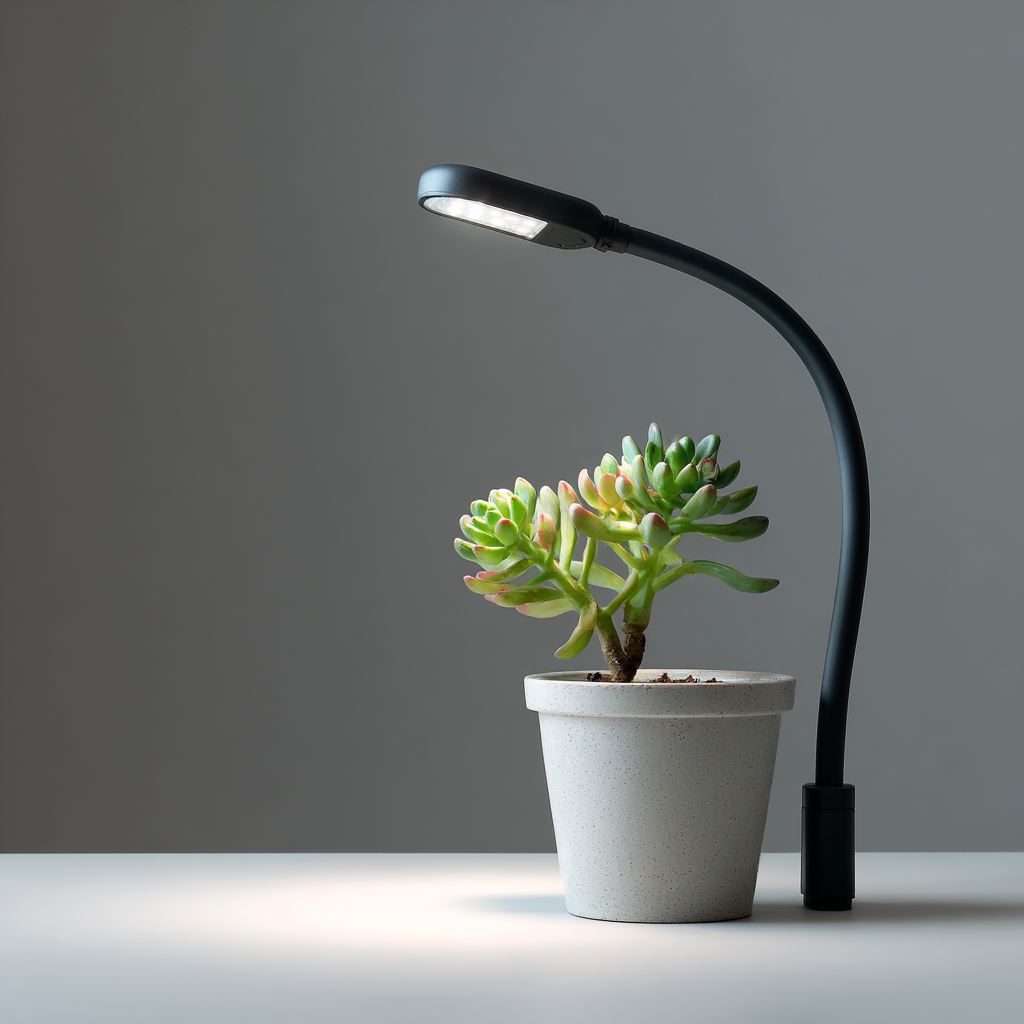
- Smart Lamps: Higher cost but portable and often include Bluetooth fallback for when Wi-Fi fails.
Pro Tip: Group multiple bulbs into a single Alexa device (e.g., “Living Room Lights”) so a single command adjusts them all, without consuming extra routines.
5. Hands-On Setup Guide: Step-by-Step Configuration in the Alexa App
1. Prepare Your Network
Before you automate your home with Alexa, label your 2.4 GHz SSID clearly (e.g., “Home-24”) to avoid confusion. Disable AP isolation so devices can see each other.
2. Add the Echo Device
- Plug in the Echo Dot and wait for the orange ring.
- Open the Alexa app → Devices → + → Add Device → Amazon Echo.
- Select your Wi-Fi network and enter the password.
3. Connect Smart Accessories
- In Devices, tap + → choose category (Plug, Light, etc.).
- If prompted, enable the manufacturer’s skill (ELG, Gosund, Tuya).
- Name the device descriptively: “Desk Lamp” instead of “Bulb HF45”.
4. Create a Routine
- Go to More → Routines → +.
- Trigger: Voice → phrase “Alexa, study mode.”
- Actions: Set Desk Lamp to 100 % cool white, play Focus playlist on Spotify, and set phone volume to 30 % via Alexa Guard.
5. Test & Refine
Run the routine manually first. If it misfires, check device names for typos, then verify the accessory’s firmware is current—most companion apps have an Update tab.
Debug Hint: If a device appears offline, toggle your phone’s Wi-Fi off and on before re-running discovery; stale ARP tables are a common cause.
6. Advanced Automations: Routines, Scenes and Voice Commands
Leveraging Alexa Guard & Sound Detection
Beyond basic on/off commands, Alexa can act when it hears water running, a baby crying, or glass breaking. Rodrigo links Guard to send push notifications to his phone and play a loud dog bark on an indoor speaker when glass break is detected—an inexpensive alarm substitute.
Multi-Condition Routines
A routine can now consider time, geolocation, and device status. For instance, “If it’s after sunset and motion is detected in the hallway, turn on the LED strip at 10 %.” Layering conditions prevents false triggers and saves energy.
Integrating Third-Party Services
Services like IFTTT or Home Assistant expand possibilities: log temperatures to Google Sheets, tweet when the washing cycle ends, or have Alexa read your upcoming Trello tasks at 9 a.m. The key is to start simple, then chain more services as your comfort grows.
Automation Inspiration:
- Lock the front door automatically when “Goodnight” routine runs.
- Flash bedroom lights red if smoke is detected.
- Turn on a dehumidifier when humidity exceeds 60 % (sensor required).
7. Pitfalls and Maintenance: Keeping Your Smart Home Secure and Efficient
Firmware and Security Updates
Out-of-date firmware is the number-one entry point for exploits. Set a monthly calendar reminder to open each manufacturer app, click the gear icon, and tap Update Firmware. Echo devices auto-patch overnight, but third-party accessories often do not.
Network Segmentation
Create a guest VLAN or at least a separate SSID (e.g., “IoT-Net”) for all smart plugs and bulbs. This isolates potential vulnerabilities from work laptops and personal phones.
Data Privacy Considerations
Alexa stores voice snippets to improve accuracy. Periodically go to Settings → Alexa Privacy → Review Voice History and delete sensitive clips. You can also say, “Alexa, delete what I just said.”
Backup and Reset Strategy
If you move houses or change routers, export your routine list under Settings → Export Routines. Smart plugs often need a 5-second button hold to factory reset—do this before gifting or reselling.
- Update firmware monthly.
- Use strong, unique Wi-Fi passwords.
- Create a separate IoT network.
- Enable two-factor authentication on your Amazon account.
- Review voice recordings quarterly.
- Document MAC addresses for each device.
- Keep a physical override (manual switch) for critical appliances.
Frequently Asked Questions
1. Can I automate my home with Alexa if I rent and cannot alter wiring?
Yes. Focus on Wi-Fi smart plugs, bulbs, and battery-powered sensors. These require zero permanent installation and come off easily when you move.
2. How many devices can one Echo Dot handle?
Technically up to 300. In practice, Wi-Fi bandwidth or router DHCP limits will bottleneck first. For more than 50 devices, consider an additional access point.
3. Do smart plugs increase standby power use?
A typical plug draws 0.5 W (≈$0.70/year). If it controls a device with >5 W idle draw, you still net significant savings.
4. What happens if the internet goes down?
Local voice commands to Echo will fail, but many plugs remember the last state or schedule. For critical lights, choose devices that offer manual operation.
5. Are Alexa routines free?
Yes. All routine functions showcased by Rodrigo—including sunrise/sunset triggers—are free inside the Alexa app.
6. Can I mix brands like TP-Link and Elgin?
Absolutely. Alexa is brand-agnostic as long as each product offers an Alexa skill or native integration.
7. How secure is voice purchasing?
Enable voice code confirmation so Alexa asks for a 4-digit PIN before placing orders. You can also disable voice purchasing entirely under Settings → Account → Voice Purchasing.
8. Is Matter support necessary right now?
For future-proofing, yes, but budget-focused beginners can safely start with Wi-Fi devices today and upgrade later; Amazon is rolling out Matter via firmware updates anyway.
Conclusion
With less than $150, you can automate your home with Alexa to enjoy:
- Lower energy bills through smart scheduling.
- Convenient voice-activated routines that save time daily.
- Enhanced security via Guard and presence simulation.
- Ambient lighting that rivals expensive designer setups.
- A scalable ecosystem ready for advanced sensors and Matter.
Start small, celebrate each successful routine, and keep your system updated and secure.
Now that you know how to set up your Alexa system on a budget, it’s time to start adding the best tools to your home!
Don’t waste money on devices that don’t deliver. Check out Emma’s curated list of the 30 Smart Home Devices Worth Buying in 2025: A Practical Guide to a Friction-Free House [30 Smart Home Devices Worth Buying] to make sure every purchase adds real value and function to your home.
Explore more home & organization articles at: selectionsprime.com