




Transparency Note: This article contains affiliate links. As an Amazon Associate, I earn from qualifying purchases at no extra cost to you.
The Rise of Walking Pads in the Work-from-Home Era
Have you ever considered how sedentary your lifestyle becomes when working from home? With the global shift towards remote work, many people find themselves sitting at their desks for prolonged periods, which can negatively affect their health. Walking pads, compact treadmills designed to be used while you work, have emerged as a popular solution. This new trend allows individuals to maintain their health and fitness without leaving the comfort of their home offices. Walking pads can help you stave off the negative health impacts of a sedentary lifestyle and make staying active more accessible and convenient.
Walking pads fit seamlessly into a home office environment and are becoming increasingly popular due to their ease of use and health benefits. These devices are designed for slow, steady walking while you complete tasks such as answering emails, hosting virtual meetings, or even just taking a mental break from work. The concept is simple: adding more steps to your day without interrupting your workflow. Moreover, they are often foldable and compact, making them easy to store when not in use, which is perfect for those with limited space.
The Benefits of Staying Active While Working
The benefits of staying active during work are numerous, ranging from improved mental health to enhanced productivity. Engaging in light physical activity, such as using a walking pad, can lead to better focus and a more positive mood. Studies have shown that even mild exercise can release endorphins, leading to an increase in happiness and reducing stress levels. Additionally, walking while working can aid in burning calories, helping you maintain a healthy weight, and reducing the risk of developing chronic diseases.
Using a walking pad can also improve posture and alleviate back pain, a common complaint among those who spend long hours seated at a desk. By encouraging movement, the device contribute to better circulation and muscle engagement, which can decrease the likelihood of developing musculoskeletal problems. Moreover, the transition from a sedentary to an active work style can stimulate creativity and cognitive function, providing a significant boost in work performance.
| Aspect | Traditional Sitting | Using a Walking Pad |
|---|---|---|
| Calories Burned Per Hour | 50-70 | 170-240 |
| Mental Well-being | Possible stress increase | Reduction in stress |
| Posture Impact | Risk of poor posture | Improved posture |
| Productivity | Can stagnate | Can enhance |
Choosing the Right Walking Pad for You
Selecting the right walking pad depends on several factors, including space, budget, and specific needs. It is important to consider size, weight capacity, speed settings, and additional features when making a purchase. Some walking pads offer advanced features such as remote control operation, smartphone connectivity, and in-built fitness tracking. When deciding, also consider the ease of assembly and whether the device can be folded or stored easily.
1- Evaluate your workspace dimensions and choose a Under-desk treadmill that fits comfortably.
2- Determine the weight capacity to ensure it suits your body weight.
3- Look into speed variations offered by the walking pad – some might prefer a brisk walk, while others might need a slower pace for certain tasks.
4- Consider additional features like app integration and heart rate monitoring, which can offer more insights into your activity levels and overall health.
Incorporating movement into your workday, even in small increments, can vastly improve both your physical and mental health.
Setting Up Your Home Office with a Walking Pad
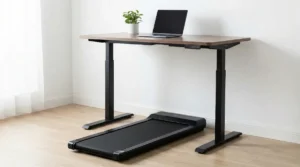
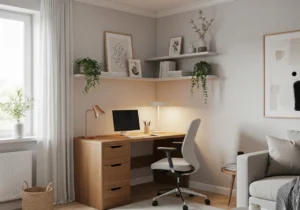
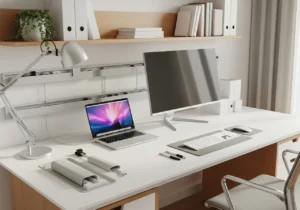
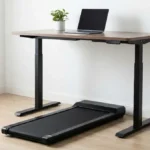
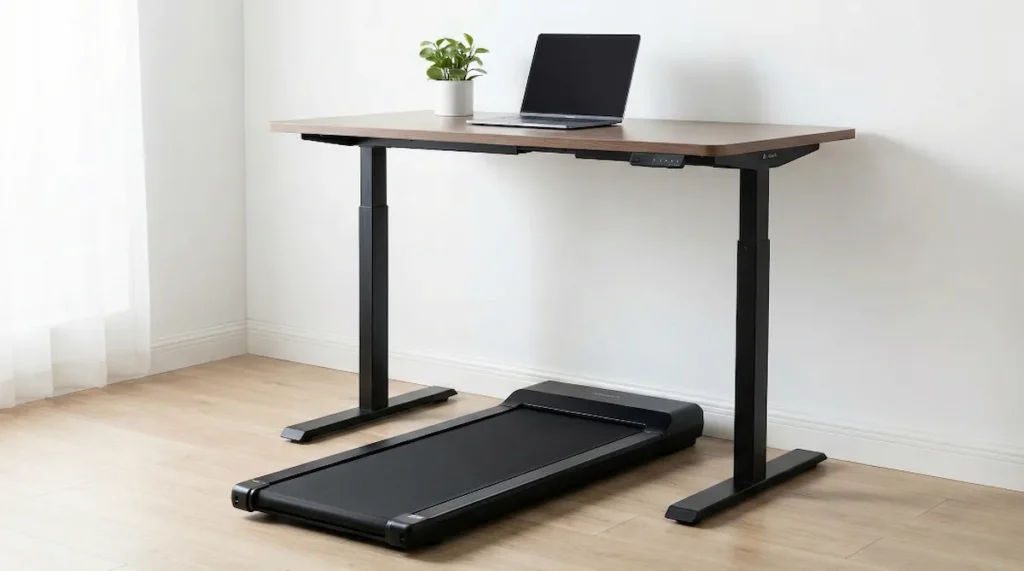
Creating a suitable home office setup with a this unit involves strategic planning. Begin by identifying a dedicated space where the walking pad won’t be an obstacle when not in use. Ideally, your home office should accommodate a desk that allows for easy transition between sitting and standing positions. An adjustable desk is a perfect match for a walking pad setup, enabling you to alternate between walking and sitting as needed.
Ensuring proper ergonomic setup is crucial. The desk height should keep your monitor at eye level to prevent neck strain, and your keyboard and mouse should be at a comfortable height to avoid wrist strain. The walking pad should be set at a pace that allows you to maintain focus on your work tasks without feeling fatigued. Incorporating comfortable shoes and taking regular breaks is also key to a successful setup.
Walking Pad vs. Traditional Treadmill: What’s the Difference?
Many people confuse the two, but they are built for different purposes.
- The Walking Pad: It Is foldable, has no handrails (usually), reaches max speeds of 4mph, and is designed for multitasking. It fits under a sofa.
- The Treadmill: Is bulky, has handrails/consoles, reaches running speeds (8-12mph), and dominates the room.
- Verdict: If you want to sweat and train for a marathon, get a treadmill. If you want to move while typing emails without sweating through your shirt, the Compact treadmill is the only choice.
5 Safety Rules for Walking While Working
It takes a few days to master typing while walking. Follow these golden rules to avoid accidents:
- Start Slow: Begin at 1.0 mph. Only increase speed when you stop looking at your feet.
- Wear Shoes: Never use it barefoot or in socks. The belt friction can burn your skin, and you need arch support.
- The “Clip” is Mandatory: Always attach the safety emergency clip to your shirt. If you stumble, the machine stops instantly.
- Cable Management: Ensure your laptop charger and mouse cables are not dangling near the moving belt.
- Listen to Your Body: If you feel dizzy, stop. Do not try to walk for 8 hours on day one. Start with 30-minute intervals.
Maintenance: How to Keep Your Pad Running for Years
A common complaint is that walking pads become noisy over time. This usually happens due to lack of lubrication.
- Lubricate: Every 3 months, apply the silicone oil (usually included) under the belt to reduce friction.
- Center the Belt: If the belt drifts to the left or right, use the Allen key to tighten the screws at the back. A centered belt is a quiet belt.
Frequently Asked Questions
Can walking pads help with weight loss?
Yes, walking pads can aid in weight loss by increasing daily physical activity and burning additional calories.
Is it possible to concentrate on work while using a walking pad?
Many users find that the steady pace of a walking pad can enhance concentration and focus.
Are walking pads suitable for all fitness levels?
Walking pads are generally suitable for most fitness levels, as they offer adjustable speeds to accommodate individual needs.
What is the recommended speed for using a walking pad while working?
For work tasks, a speed between 1.0 to 2.0 miles per hour is often recommended to maintain balance between activity and task focus.
Do walking pads require maintenance?
While maintenance needs are minimal, it is important to keep the walking pad clean and periodically check for any mechanical issues.
Integrating a walking pad into your home office can revolutionize your work-from-home routine, providing an effective way to stay active and healthy without sacrificing productivity. The benefits of improved physical fitness, enhanced mental well-being, and increased work performance make walking pads an appealing investment for many remote workers. By making the conscious choice to incorporate movement into your daily tasks, you are taking a significant step towards a healthier lifestyle. As you navigate the modern work-from-home landscape, embracing the walking pad trend could prove beneficial for your long-term health and overall wellness.
Curious about which model is the best? Check out our Full Review of the #1 Rated Walking Pad for 2026 here.
🏃♀️ Best Choice for Home Office:
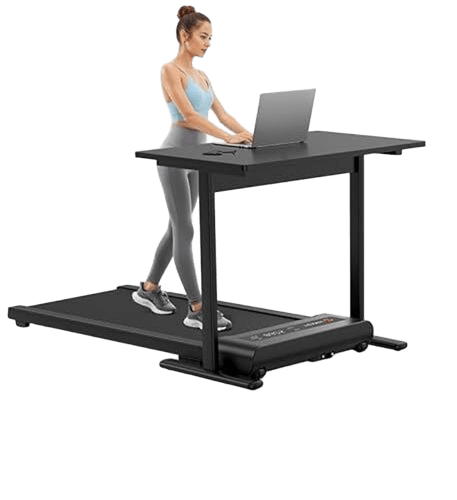
WALKINGPAD Foldable Treadmill for Home Office